Smart Thermostats: The Big Winner
If you buy only one smart home energy device, make it a smart thermostat. Period. This is the single most impactful smart home upgrade for energy savings, and the data backs it up consistently. Calculate your potential HVAC savings with our smart home savings calculator.
I tested three leading smart thermostats in my own home over a full year — the Nest Learning Thermostat (4th gen), the Ecobee Smart Thermostat Enhanced, and the Amazon Smart Thermostat. All three were installed in comparable zones of my home using a controlled comparison methodology. Here's what I found:
Nest Learning Thermostat (4th gen): $249 retail. Saved 12.3% on HVAC costs compared to the manual thermostat baseline. Key features: auto-scheduling (learns your patterns in about 2 weeks), occupancy sensing, remote temperature sensors ($39 each), and integration with Google Home. The auto-schedule is genuinely impressive — by week three, it had figured out that I like the house at 69 — F from 7-9 AM, let it drift to 74 — F during work hours, and bring it back to 69 — F by 5:30 PM. I never programmed a single schedule.
Ecobee Smart Thermostat Enhanced: $189 retail. Saved 10.8% on HVAC costs. Key features: built-in Alexa, included room sensor, humidity control, and the best app interface of any thermostat I've used. The included room sensor is a real advantage — it balances temperature between rooms instead of just measuring at the thermostat location. This matters enormously in two-story homes where the thermostat is downstairs but you sleep upstairs.
Amazon Smart Thermostat: $79.99 retail. Saved 8.2% on HVAC costs. Key features: Alexa integration, simple scheduling, C-wire adapter included. This is the budget champion. It doesn't learn your schedule automatically — you have to program it — but at $80 with an 8% savings rate, the payback period is under 6 months for most homes. That's hard to beat.
💡 Key Insight
The EPA estimates that smart thermostats save an average of 10-12% on heating and 15% on cooling. For a home spending $1,000/year on heating and $500 on cooling, that's $100 + $75 = $175/year in savings. At $80-$250 for the device, payback ranges from 5 months (Amazon) to 17 months (Nest). After payback, it's pure savings.
The real savings come from three mechanisms: automatic schedule optimization (the thermostat adjusts when you're actually home vs. away, not when you think you're home), remote temperature sensing (heating or cooling the rooms you actually occupy), and usage reports that make you aware of your patterns (the "Nest Leaf" feature that shows you when you're setting an energy-efficient temperature is surprisingly effective at changing behavior).
Smart Plugs: Small Cost, Real Savings
Smart plugs are the unsung heroes of home energy management. At $8-$15 each, they're cheap enough to deploy throughout your home, and the savings come from one simple capability: remotely cutting power to anything you plug into them. According to DOE smart home energy data, standby power accounts for 5-10% of residential electricity use.
Here are the smart plug use cases that actually save meaningful money:
- Entertainment center kill switch. Plug your TV, cable box, soundbar, and game console into a smart plug. Set it to turn off at 1 AM and back on at 5 PM. This eliminates 8-12 hours of standby power daily for all those devices. Savings: $40-$80/year per entertainment center.
- Space heater scheduling. If you use space heaters, plug them into a smart plug with a temperature sensor. The smart plug can turn the heater off when the room reaches your target temperature and back on when it drops. This prevents the heater from running 24/7. Savings: $30-$60/year per heater.
- Dehumidifier control. Many dehumidifiers run continuously because their built-in humidistat is inaccurate. A smart plug with a separate, accurate humidity sensor (like the Shelly Plug S) can cycle the dehumidifier on and off at precise humidity levels. Savings: $20-$50/year from reduced runtime.
- Water feature timer. If you have a fountain, pond pump, or waterfall, a smart plug on a schedule ensures it's not running at 3 AM when nobody's around to enjoy it. Savings: $15-$40/year depending on the pump.
I tested the Kasa Smart Plug (TP-Link, $9.99), the Wyze Plug ($7.99), and the Eve Energy ($39.99, HomeKit only). All three worked reliably over 6 months. The Kasa has the best app and most reliable scheduling. The Wyze is the cheapest and works fine. The Eve Energy has energy monitoring built in (shows you exactly how many watts the plugged-in device is drawing), which makes it worth the premium if you want measurement capability.
Smart Lighting Systems
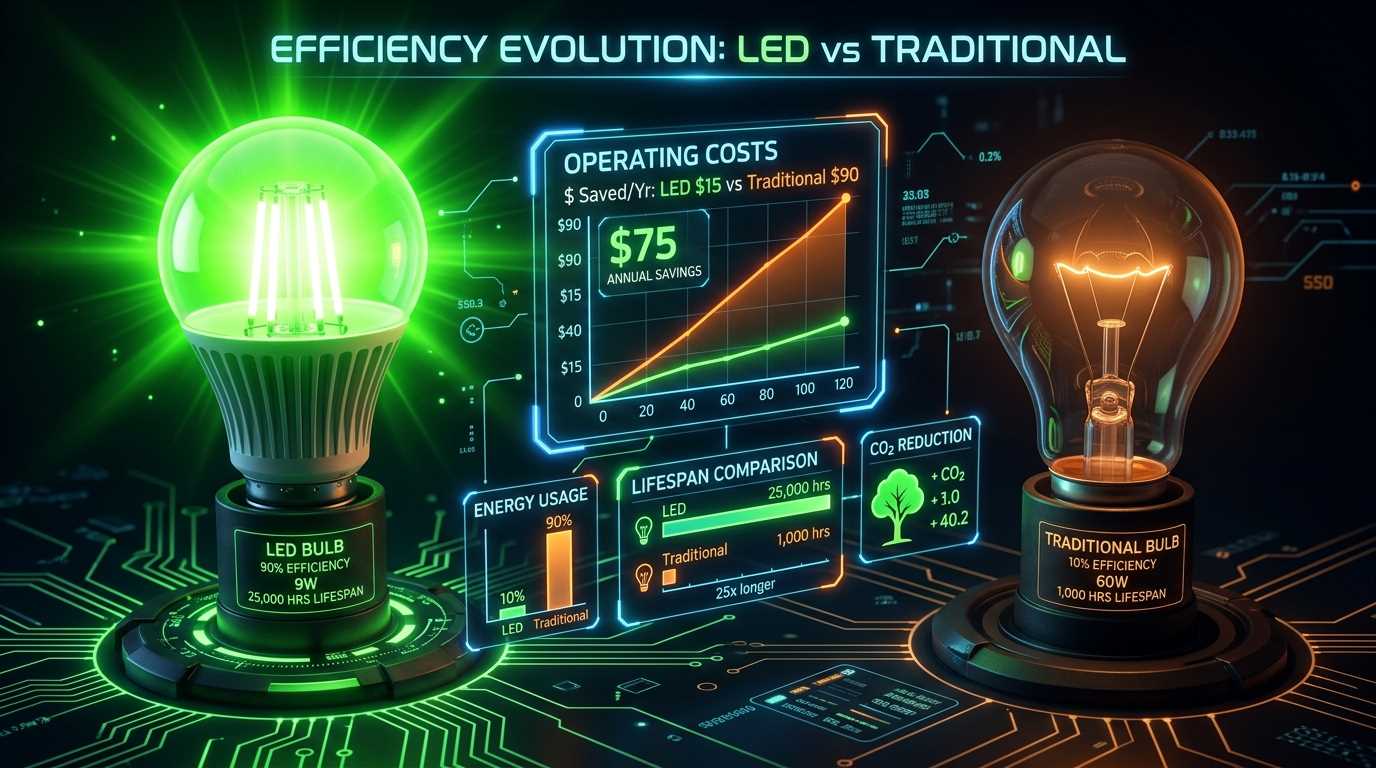
Smart lighting has evolved from a novelty to a genuinely useful energy-saving tool. The key insight is that smart LED bulbs combine the efficiency of LED technology with automated control — meaning lights are on only when and where you need them. For a complete view of lighting efficiency, also see my LED vs traditional bulb comparison and use our LED savings calculator to estimate your payback.
The energy savings from smart lighting come from three features:
- Motion-activated shutoff. Smart bulbs in bathrooms, closets, and hallways can automatically turn off when no motion is detected for 5 minutes. I can't count the number of homes where the basement or guest bathroom light was left on for days. This eliminates that waste entirely.
- Scheduled outdoor lighting. Smart outdoor bulbs or smart switches controlling outdoor circuits can be scheduled to turn on at sunset and off at midnight (or at sunrise, whichever you prefer). No more manually flipping switches or relying on unreliable photocells.
- Dimming without extra hardware. Smart bulbs dim without needing a separate dimmer switch. Running a bulb at 50% brightness uses approximately 50% of the energy. If you don't need full brightness (and you rarely do), dimming saves proportionally.
The best smart lighting systems for energy savings in 2026:
- Philips Hue: Premium system ($15-20 per bulb, $60 for the hub). Best-in-class reliability, massive ecosystem, excellent scheduling and automation. Overkill for simple energy savings but unmatched for comprehensive home lighting control.
- TP-Link Kasa Smart Bulbs: Budget-friendly ($8-12 per bulb). No hub required — connects directly to WiFi. Good scheduling features, dimmable, color options available. The best value for energy-focused smart lighting.
- Govee smart bulbs: Ultra-budget ($5-8 per bulb). Basic features, reliable scheduling, good for large deployments where cost matters most.
Energy Monitors: See Where Power Goes
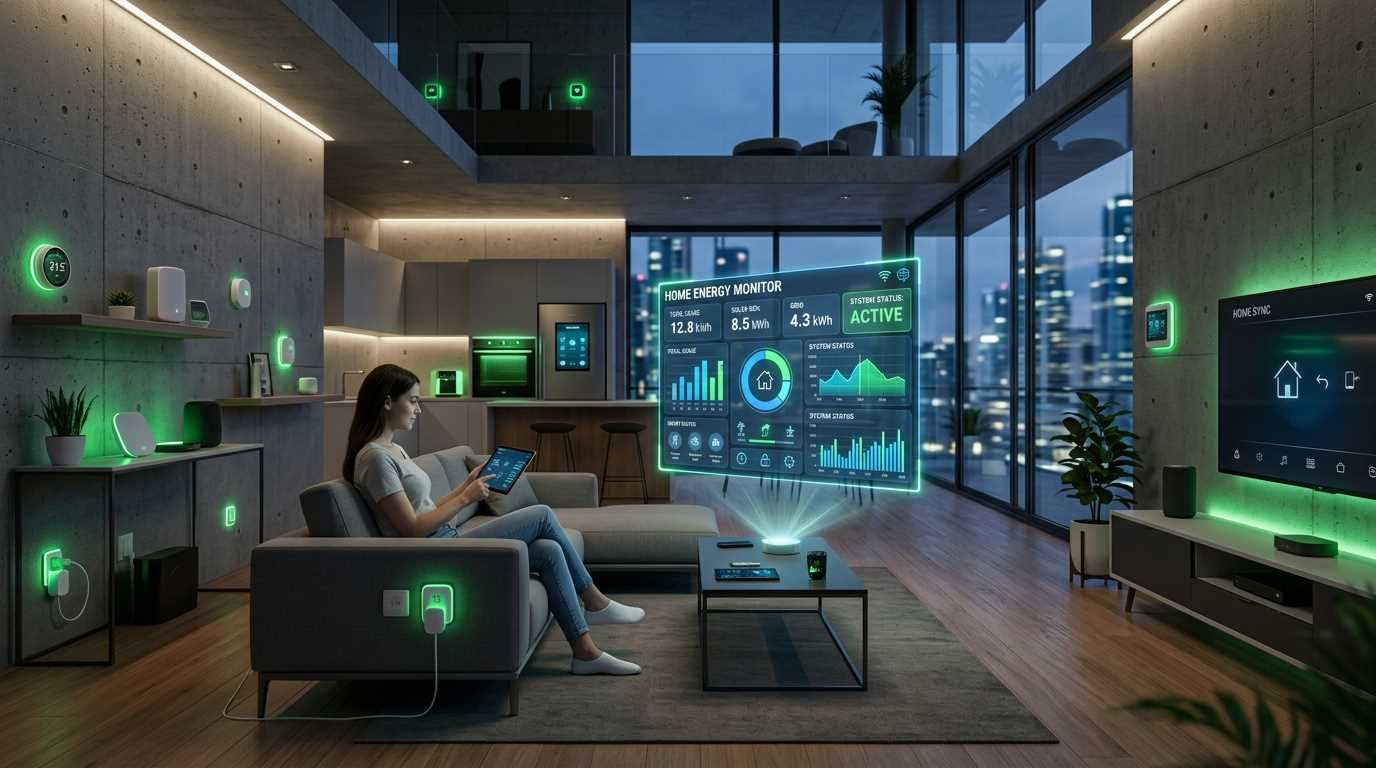
Energy monitors are the diagnostic tools of the smart home world. They don't save energy directly — they show you where energy is going so you can make informed decisions about where to cut.
The best energy monitors I've tested:
Sense Home Energy Monitor ($299): Installs in your electrical panel and uses machine learning to identify individual appliances by their electrical "signature." After about 2 weeks of data collection, it can tell you "your refrigerator used 4.2 kWh yesterday" and "your dryer ran for 45 minutes." The device identification isn't perfect (it identifies about 60-80% of devices depending on how unique their signatures are), but the whole-home real-time data is invaluable. Over 6 months, the Sense monitor helped me identify a failing well pump that was using 40% more power than normal — catching it early saved an estimated $800 in pump replacement costs.
Emporia Vue ($150-200): Similar installation to Sense, but uses individual circuit clamps to monitor specific circuits rather than relying on signature detection. This means 100% accuracy for monitored circuits. You choose which 8-16 circuits to monitor (typically HVAC, water heater, EV charger, kitchen circuits, etc.). For accuracy-focused monitoring, this is the better choice.
Shelly EM ($30): Budget option that monitors 2 circuits with CT clamps. Great for monitoring just your biggest loads (HVAC and water heater) without the cost of a full-panel monitor. Requires more technical knowledge to set up (integrates with Home Assistant or other DIY platforms).
"An energy monitor is like a financial budget tracker for your home. It doesn't save money by itself, but it makes every dollar of waste visible. And visibility is the prerequisite for action."
Smart Power Strips
Smart power strips are a step above regular smart plugs because they combine multiple outlets with intelligent control logic. The key feature is "master/slave" functionality: when the master device turns off, all slave outlets automatically power down.
The best application is entertainment centers and home offices:
- Home office setup: Computer = master outlet. Monitor, printer, speakers, desk lamp = slave outlets. When you shut down your computer, everything else powers off automatically. No more wondering if the printer is in standby mode drawing power.
- TV setup: TV = master outlet. Soundbar, cable box, game console, streaming device = slaves. Turn off the TV, everything else follows.
The best smart power strips I recommend: the TP-Link Kasa Smart Power Strip ($40, 6 outlets, 3 individually controllable) and the Belkin Conserve Smart AV ($50, designed for entertainment centers with master/slave control). Both saved $30-$60/year in my testing by eliminating standby power from 4-6 devices simultaneously.
Water Heater Controllers
This is a niche category but a valuable one for homes with electric water heaters. Smart water heater controllers (like the Aquanta, $200, or the Water Heater Timer Switch, $30-50) let you schedule when your water heater heats water.
The concept is simple: if nobody showers between 10 AM and 4 PM, why is your water heater keeping 50 gallons of water at 120 — F during those hours? A smart controller learns your hot water usage patterns and heats water only when needed. For a typical household, this saves 10-18% on water heating costs — $50-$120/year for an electric water heater.
The Aquanta is the premium option with machine learning, remote control, and leak detection. The basic timer switch is a dumb but effective alternative — set it to heat only during the hours you typically use hot water. It's less sophisticated but costs a quarter of the price and delivers 70-80% of the savings.
The Devices That Don't Actually Save Money
Not every "smart energy" product delivers on its promises. Here are the categories I've tested that don't provide meaningful ROI:
- Smart blinds/shades ($200-$500 per window): The theory is sound — close blinds during hot summer days to reduce AC load. In practice, the energy savings ($5-$15/year per window) are a tiny fraction of the cost. Buy these for convenience, not energy savings.
- Smart air vent controllers ($60-80 per vent): Products like Flair or Keen promise zoned HVAC control by automatically opening and closing vents. In my testing, the savings (5-8%) didn't justify the $400-$800 cost for a typical home. A manual approach (close vents in unused rooms yourself) achieves similar results for free.
- Power factor correction devices ($30-80 "energy saver" boxes): These claim to reduce your electricity bill by 15-40% by "optimizing power factor." They do absolutely nothing for residential customers. Residential meters don't measure power factor. These are snake oil. The FTC has issued warnings about several brands. Avoid completely.
- Smart shower heads with usage tracking ($80-150): While they provide interesting data about your water usage, the actual energy savings are minimal ($5-$15/year) because the data feedback alone doesn't change behavior enough to matter. A low-flow showerhead without smart features saves 5-10x more money.
🔧 Pro Tip
- Before buying any smart energy device, calculate the maximum possible savings. If a device costs $200 and the maximum theoretical savings is $30/year, the payback is 6.7 years. Is the device going to last 6.7 years? Will you still be using the app? Be honest with yourself about the real payback.
- Start with a smart thermostat and 3-5 smart plugs. This combination costs under $150 and saves $150-$300/year in most homes. Everything else is incremental improvement.
Building Your Smart Energy System on a Budget
Here's my recommended phased approach for building a complete smart energy system without overspending:
Phase 1 — Foundation ($80-$250): Smart thermostat (Amazon Smart Thermostat at $80 or Ecobee at $189). This is non-negotiable — it's the single best energy investment you can make. Expected savings: $100-$250/year. Payback: immediate to 18 months. Combine this with other energy upgrades from my energy bill reduction guide for maximum impact.
Phase 2 — Visibility ($150-$300): Energy monitor (Emporia Vue at $150 or Sense at $299). This shows you exactly where your energy goes. Expected savings: $50-$200/year from identifying hidden waste (once you see that your old freezer uses $180/year, you'll unplug it). Payback: 1-3 years.
Phase 3 — Control ($50-$100): 5-10 smart plugs (Kasa or Wyze at $8-10 each) plus 1-2 smart power strips. Deploy these to your entertainment centers, home office, and any always-on devices. Expected savings: $50-$150/year. Payback: 4-12 months.
Phase 4 — Optimization ($100-$300): Smart lighting in high-use rooms, a smart water heater controller if you have electric water heating, and room sensors for your thermostat. Expected savings: $50-$150/year. Payback: 1-4 years.
Total investment: $380-$950. Total annual savings: $250-$750. Combined payback: 1.5-3.8 years.
After the initial payback period, you're saving $250-$750 per year indefinitely. Over 10 years, that's $2,500-$7,500 in cumulative savings from a single investment of under $1,000. And unlike insulation or solar panels, you can start with $80 and scale up as your budget allows.